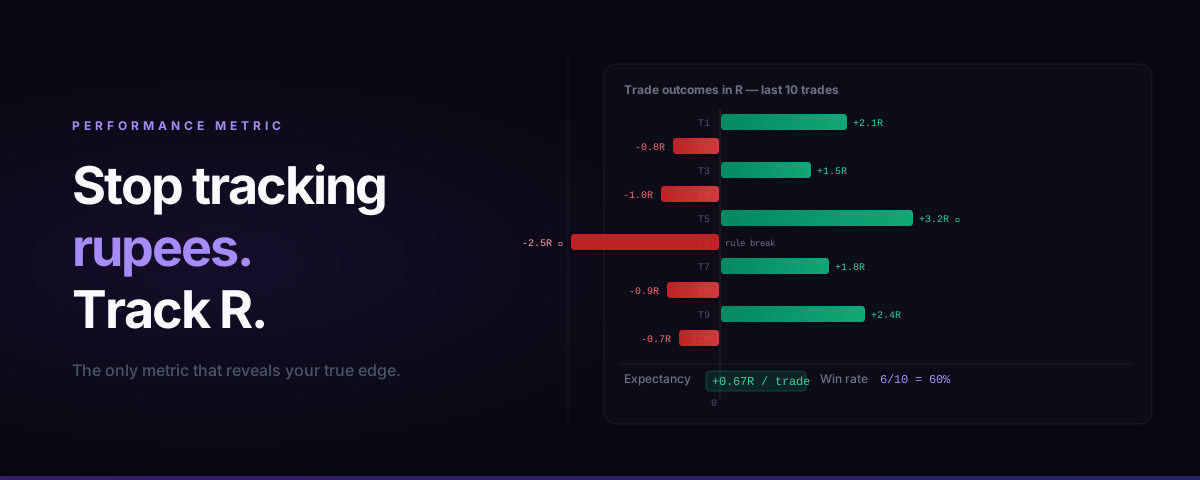
If you're tracking your trading performance in rupees, you're using the wrong scoreboard.
A ₹3,000 profit on 5 lots of BankNifty tells you nothing about whether that was a good trade or a lucky one. A ₹500 loss on 1 lot of Nifty could be a disciplined exit or a catastrophic rule break, depending on what your stop was.
R multiples fix this. They convert every trade into a single, comparable number that reflects how well you managed risk — regardless of instrument, position size, or market conditions.
What Is an R Multiple?
R is your initial risk per trade — the maximum amount you planned to lose if the trade went against you.
Formally:
R = Entry price − Stop loss price × quantity
An R multiple expresses the outcome of a trade as a ratio of that initial risk:
R multiple = (Exit price − Entry price) × quantity ÷ R
Examples:
| Trade | Entry | SL | Exit | Qty | R (₹) | Outcome (₹) | R Multiple |
|---|---|---|---|---|---|---|---|
| BNF CE | ₹420 | ₹390 | ₹480 | 1 lot (25) | ₹750 | ₹1,500 | +2R |
| Nifty PE | ₹180 | ₹165 | ₹158 | 2 lots (100) | ₹1,500 | −₹2,200 | −1.47R |
| Reliance | ₹2,850 | ₹2,820 | ₹2,835 | 100 shares | ₹3,000 | ₹1,500 | +0.5R |
Notice: the Reliance trade made ₹1,500 in rupees but only 0.5R — it was a mediocre trade relative to risk taken. The BNF trade made ₹1,500 too, but that was a 2R winner. Not the same quality of execution at all.
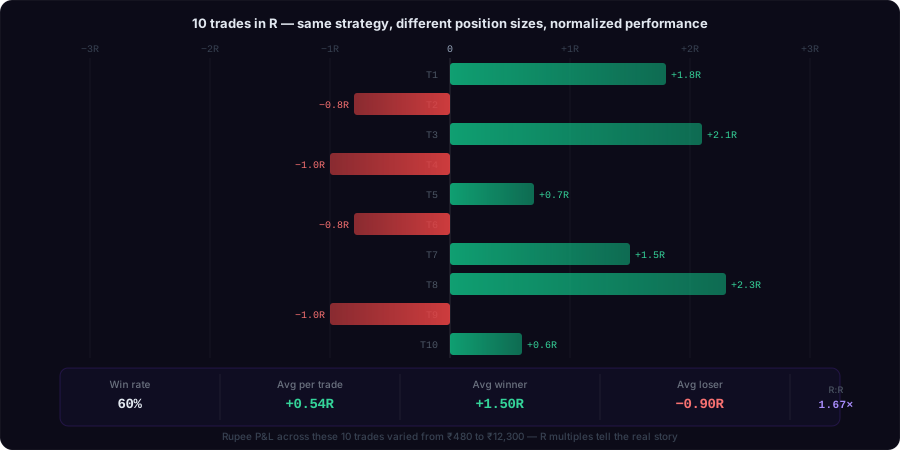
Why Rupee P&L Misleads You
Three reasons rupee P&L is a bad performance metric for retail traders:
1. It mixes position size with execution quality
A ₹10,000 day could mean you had two excellent 2R trades on standard size, or one bloated position that happened to move in your favour. Totally different stories.
2. It doesn't tell you anything about risk discipline
Was your stop pre-defined? Did you honour it? Rupee P&L can't answer this. Your -₹4,000 day could have been a disciplined -1R stop on a large position, or it could have been a -4R disaster where you held below your stop hoping for a recovery.
3. It disguises bad months as acceptable ones
If you made ₹25,000 in February but your average trade was +0.3R and you took 90 trades to get there, you had a bad month. The position sizing just bailed you out. It won't forever.
How to Calculate R Multiples in Practice
Step 1 — Define R before entry.
Before placing the order, write down your stop price. R is calculated from that level, not from where you actually exited.
If your stop is ₹30 below entry on 1 lot (25 units), R = ₹750.
Step 2 — Record actual exit.
When the trade closes, note the exit price.
Step 3 — Compute the multiple.
R multiple = (Exit − Entry) × quantity ÷ R

Example: (₹480 − ₹420) × 25 ÷ ₹750 = ₹1,500 ÷ ₹750 = +2.0R
Step 4 — Never recalculate R after moving your stop.
If you widen your stop after entering, the R is still based on the original planned stop. Otherwise you can game the system and every trade looks like a 1R loss.
What a Good R Distribution Looks Like
Track 50+ trades and look at the distribution of R multiples:
Healthy profile:
- Average winner: +1.5R to +3R
- Average loser: −0.8R to −1.2R (disciplined stops, occasional small overruns)
- Win rate: 40–55% (you don't need to win often if your winners are >2R)
- Expectancy: positive (average R multiple across all trades > 0)
Warning signs:
- Many trades at −2R or worse → you're not honoring stops
- Winners mostly between 0.3R–0.8R → you're taking profit too early (fear)
- High win rate (>65%) but flat or negative rupee P&L → position sizing is inconsistent; you take small size on winners and large size losers
Expectancy: The Number That Tells You If You Have Edge
Once you have R multiples for 30+ trades, compute your expectancy:
$$\text{Expectancy} = \frac{\text{Sum of all R multiples}}{\text{Number of trades}}$$
If expectancy is positive, your system has edge. If it's negative or zero, you don't — no amount of position sizing or risk management will save a negative-expectancy system long-term.
A typical profitable intraday system has expectancy between +0.2R and +0.8R per trade.
How SMARTly Automates R Multiple Tracking
In a spreadsheet you'd compute this manually for every trade. SMARTly does it automatically:
- You set the stop loss when logging the trade (or import it from your order data)
- SMARTly computes the R multiple when the trade closes
- Your journal shows R multiples inline, your weekly report shows expectancy, and the analytics page breaks down R distribution by setup, time, day of week, and emotion tag
After 4–6 weeks of data you'll know exactly which of your setups has positive expectancy, and which ones you should stop trading.
Start tracking R multiples free →
SMARTly auto-imports your trades from Zerodha, Fyers, Angel One and other Indian brokers — and computes R multiples from your pre-defined stop losses automatically.
Related reading: